
Connect a payment gateway (Razorpay, PayU, Cashfree…)
Accept UPI, cards, netbanking and wallets — money goes straight to you.
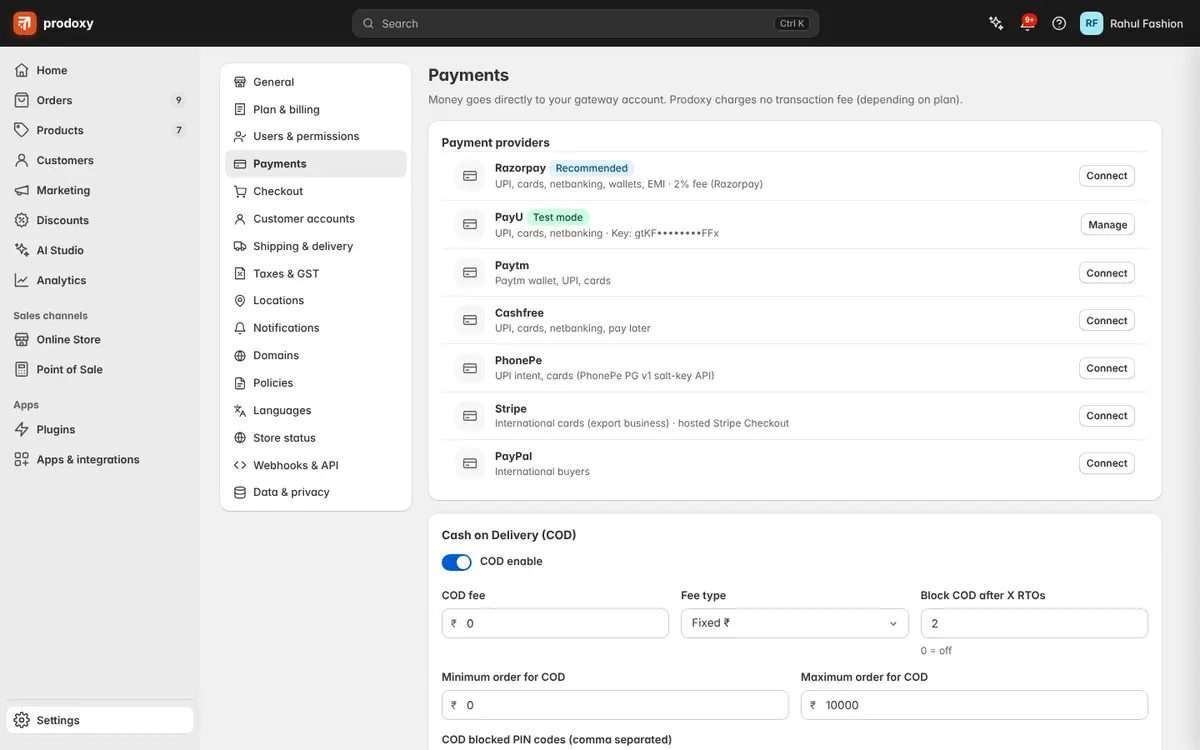
Prodoxy supports Razorpay, PayU, Paytm, Cashfree, PhonePe, Stripe and PayPal. Money goes directly to your gateway account; Prodoxy does not hold it.
- Create a merchant account with the gateway and complete their KYC.
- In the gateway dashboard, generate API keys (Key ID + Secret / Merchant key + Salt).
- In Prodoxy: Settings → Payments → click Connect next to the gateway.
- Paste the keys. Use Test mode first and place a test order.
- Switch to Live mode and save.
Webhooks are set up automatically for supported gateways so orders are marked paid even if the shopper closes the window.